2 November 2026 · Twitter Ban Service · 15 min read
How to copyright strike a YouTube video, if the work is yours
Only a copyright owner or an authorized agent can trigger one: how to copyright strike a YouTube video comes down to filing a legal removal request for your own work, and YouTube issues the strike if that request appears valid. Merely disliking a channel gives you no route, and false claims risk 17 U.S.C. 512(f) liability and account termination.
How to give someone a copyright strike on YouTube? You can't
Nobody hands out a strike. That is the myth behind most searches for how to copyright strike someone on YouTube or how to give copyright strike on YouTube, and it misreads who holds the button. The real answer to how to copyright strike a YouTube video starts with whose video it copied. A copyright strike is YouTube's own record that a video came down after a legal removal request. YouTube's strike page says that if such requests appear valid, it has to remove the content. Your part ends at the request. There is no strike option in a video's menu, and no report reason creates one.
Three consequences follow, and every section below depends on them:
- Standing comes first. YouTube's removal request page accepts filings from copyright owners or an authorized representative. Nobody else.
- Each request names videos. The same page says "you can't submit a copyright removal request for an entire channel or playlist". So how to copyright strike a YouTube channel and how to copyright strike a YouTube account have one answer: no such request exists. A channel collects strikes only through requests about specific uploads.
- False filings carry a price. Under 17 U.S.C. 512(f), anyone who knowingly and materially misrepresents infringement is liable for damages, including costs and attorneys' fees. YouTube adds that misuse may end your own account.
Twitter Ban Service is an X reporting service and files nothing on YouTube. This guide is for owners of stolen work who ran into the wrong vocabulary. If your complaint is about behaviour rather than your own work, the honest routes are reporting the channel under YouTube's rules or the wider map of YouTube removal forms by problem type.
Standing check: three questions before any YouTube copyright complaint
A YouTube copyright complaint includes a statement under penalty of perjury, so test yours the way an opposing lawyer would. One "no" means stop here.
- Did you create or license this exact work? The specific footage, audio or image, as opposed to the topic, format or idea, which copyright does not protect. If a freelancer shot the clip, read the contract before assuming it is yours. If you hold a licence, check that it lets you enforce.
- Is this a substantial use that fair use does not cover? YouTube tells filers to consider fair use, public domain and similar exceptions first, and it may ask you to confirm you did. Without a sufficient response the request "may be invalid and won't take effect". A full reupload is the easy case. Commentary quoting a few seconds of your clip is not.
- Do you control the rights in that territory? A label, distributor or co-owner may hold them where the video is watched. Ask before you sign, because the statement you sign says you own the right or act for whoever does.
A video that criticises you, embarrasses you or copies your concept fails question one, however unfair it feels. Twitter Ban Service asks owners the same three questions before it takes on any copyright case on X. A logo or brand name is a different legal right, and who can file a trademark report covers that owner-only rule. A fight over a username is not a copyright case either; requesting a handle on X runs on separate rules.
These checks matter because abuse is measurable. YouTube's Copyright Transparency Report for January to December 2025 counts 2,969,817 actions through the public webform, states that over 6% of webform requests were abusive, and shows over 9% drawing counter notifications, against 3% or less for Copyright Match Tool and Enterprise users.
Content ID claim vs copyright strike, and three other instruments
Five instruments exist and only two can produce a strike. The Content ID claim vs copyright strike comparison is the one most people need, because the two feel alike to an uploader and do opposite things to a channel.
| Instrument | Who has access | Strike on uploader? | What the uploader sees | Reversible how |
|---|---|---|---|---|
| Removal request, unscheduled | Owner or authorized representative | Yes, if YouTube removes the video after review | Video gone, strike notice, your name in Studio | Retract removal, or a valid counter notification |
| Scheduled removal request | Same filers | Only if the video is still up after 7 days | A 7-day window to act and avoid the strike | Retract request while it is pending |
| Copyright Match Tool | Any channel with a valid removal request or the copyright tools form | Not by itself; Request removal opens the same legal form | Nothing unless you act on a match | Archive only clears the match from your tab |
| Content ID claim | Approved owners with a substantial catalogue that is often uploaded | No | A claim, the claimant's name, and a block, ads or tracking | Dispute, or edit out the claimed part |
| Contact the uploader | Anyone | No | Your message | Nothing to reverse |
YouTube's help pages never say "immediate"; the first row is simply a request without the 7-day schedule, which takes effect after review.
How to copyright claim someone on YouTube
Without Content ID access, you can't. Content ID is for owners of "a substantial body of original material that is frequently uploaded", and YouTube's report lists access at 7,626 as of December 2025, against 4,102,721 for Copyright Match Tool. Yet that small group generated 2,502,941,368 Content ID actions in 2025, or 99.48% of the report's total. A claim usually comes from automatic matching and YouTube says it brings no strike. One route connects the two: a dispute without a valid reason can lead to a removal request, and a valid request does bring one.
For a single stolen upload, start with a scheduled request, unless the video causes real harm each day it stays up. Twitter Ban Service holds no Content ID access and can't place claims for anyone. Copyright Match Tool then watches for later full reuploads, though it only scans videos uploaded after yours and can't tell who owns anything.
How to file a DMCA takedown on YouTube, field by field
YouTube calls it a copyright removal request. The YouTube DMCA form, the YouTube copyright takedown form, the YouTube copyright infringement form and the YouTube copyright complaint form are all search names for this one legal process. A YouTube copyright infringement report under any of those names ends up in the same two doors, Studio or email.
Studio path: the YouTube copyright removal request form
- Sign in to YouTube Studio on a computer or mobile browser.
- In the left menu, open Content detection, then New removal request.
- Add the link to each infringing video. There is no whole-channel option, so list uploads one by one.
- Describe your original work clearly enough that a reviewer can compare the two.
- Choose timing. Scheduling gives the uploader 7 days to take the video down and avoid a strike.
- Decide on Prevent copies, which only Studio offers, for blocking future uploads of the same content.
- Confirm you considered exceptions, accept the legal statements, and sign with your full legal name, first and last, never a company name.
The screen order can change. Those are the items YouTube requires, and Twitter Ban Service does not touch this form for anyone.
Email path: a YouTube DMCA takedown notice to copyright@youtube.com
Put everything in the body of the message, because YouTube asks for that rather than an attachment. Its five required items map neatly onto the six statutory elements of a notice in 17 U.S.C. 512(c)(3)(A):
- Contact information, at least one of email, physical address or phone: element (iv).
- A description of your work, or a representative list when several works are involved: element (ii).
- Links to the content in the form www.youtube.com/watch?v=xxxxxxxxxxx: element (iii).
- Legal statements, the good-faith belief and the sworn statement of accuracy and authority: elements (v) and (vi).
- A signature, physical or electronic: element (i).
Fax (+1 650 872 8513) and post to Copyright Operations in San Bruno, California, also work. An authorized representative such as an attorney can submit a YouTube copyright takedown request for you, and that is the sensible route when ownership is split. Nothing on this page is legal advice.
How to report a YouTube channel for copyright
List every infringing video on that channel by URL. When the stolen item is channel art such as a banner, Studio won't take it: non-video content goes by email, fax or mail only. A strike can cover several videos, but one video can only hold one strike at a time.
What does the uploader learn about you?
Your name, at the very least. This is the sharpest difference from an ordinary flag: YouTube's reporting page says "Reporting content is anonymous", while the removal request page says "Legally, we're required to share certain information with the uploader". The uploader can read the claimant's name in Studio from the strike's details.
On request, YouTube's page says the uploader can also receive the purported owner's name, your primary email and any secondary one, your full legal name, your description of the work, and your answers to any follow-up questions YouTube asked. Your physical address and phone number stay confidential unless requested as part of a lawsuit.
So prepare before filing. Use a mailbox you are happy to see in someone else's hands. Keep what you write factual, since the uploader may read it. Having a lawyer sign changes the name on the signature, yet the purported owner's name is still on that list, so a representative does not make you invisible. Twitter Ban Service gives owners the same warning about X, where the poster receives a full copy of the notice.
Other platforms handle this differently, and who can file an Instagram DMCA takedown and what gets passed on shows one contrast worth reading if the clip is spreading.
How long does a counter notification hold things up?
Ten US business days is YouTube's number. Its counter notification page says the claimant has that long to respond with evidence of legal action, and that otherwise the content is reinstated. The statute, 17 U.S.C. 512(g)(2)(C), sets the outer frame at "not less than 10, nor more than 14, business days" after the provider receives the counter notice.
Here is how a contested case runs. The uploader files only if they claim a mistake or misidentification, such as fair use or public domain, and must give a full legal name and complete physical address, which YouTube shares with you. Your clock starts. You now have two options: bring evidence of a lawsuit, or watch the video return and the strike clear.
That is the real test of a YouTube DMCA takedown. A filing you would never defend in court can be undone by one form from the other side. Before you submit, ask a lawyer whether you would sue over this video and whether anything, such as registering the work, must happen first. Ten business days is a short time to discover the answer, and Twitter Ban Service can't argue this stage for you.
Retraction, and the strike count after a request lands
A strike stays on the uploader's record for 90 days if they complete Copyright School and the channel has fewer than three. Three strikes within 90 days make the channel subject to termination, and its owner can't create new channels. Deleting the video later doesn't resolve a strike, unless a scheduled request is still inside its 7 days.
Because you started it, you can also end it. An uploader may offer to settle by removing the clip, crediting you or paying for a licence. YouTube's retraction page gives two routes:
- In Studio, find the video under your removal requests and choose Retract removal, or Retract request if a scheduled one is still pending, then confirm.
- By email to copyright@youtube.com from the same address or company domain, with the content links, a statement retracting the request, and your full legal name as signature.
Retracting clears the strike unless other videos are linked to it. The removal and the strike travel together, and YouTube won't accept a retraction of the strike alone.
The same stolen work on Instagram or X, and what we decline
A YouTube removal stops at YouTube. Reposts elsewhere need their own notice under that platform's rules:
- On Instagram, start with the report forms that still open and read what can really come down from an account, post or Reel. Instagram's legal request route is the one for claims based on law rather than its rules.
- If the uploader starts abusing you after your filing, that is a separate matter: how harassment reports work on Instagram and X sets out the proof each one wants.
- On X, filing a DMCA notice for stolen work on X is the owner's route, and X's support forms are where follow-ups go.
- If your own X account takes retaliation reports, restoring a deactivated or locked X account and testing your X reach for a shadowban show where you stand.
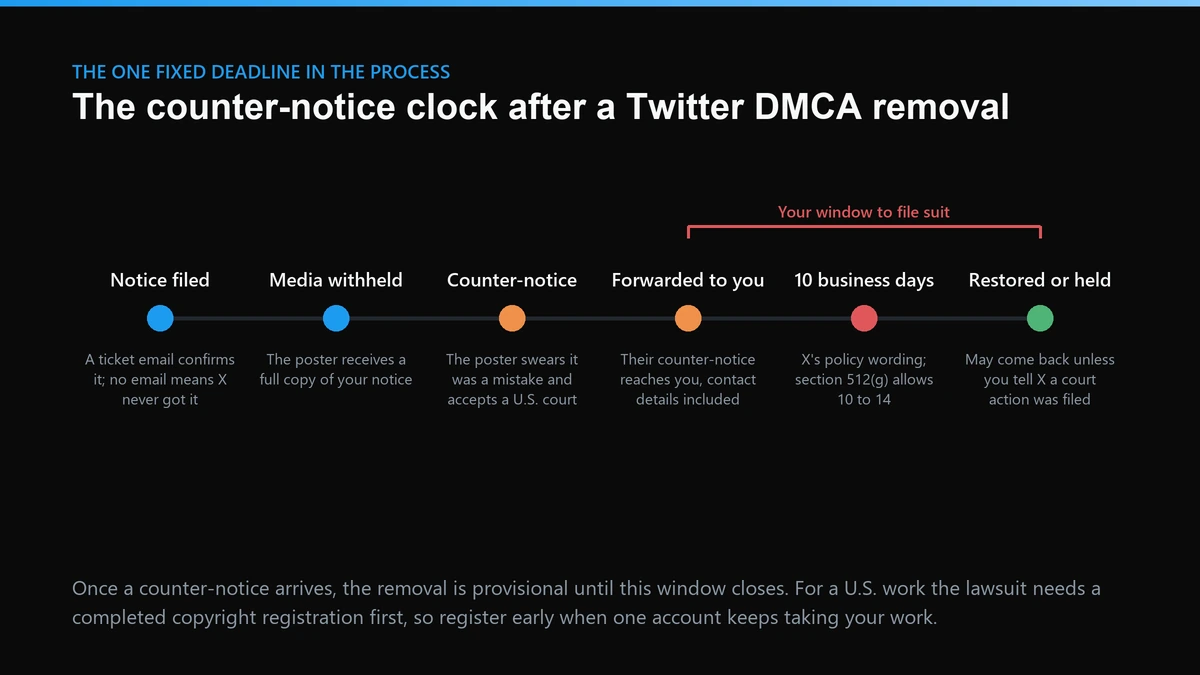
Twitter Ban Service works on the X part of this and nothing else. We review your ownership proof, file through X's official channels when the post really infringes, and X makes the final decision, so no outcome is promised. We decline rival channels, critics and anyone without rights in the work, and we never ask for a password or a 2FA code. For YouTube itself, file in your own name or through your lawyer.
Sources
- YouTube Help: submit a copyright removal request (read 2 November 2026)
- YouTube Help: copyright strike basics (read 2 November 2026)
- YouTube Help: counter notification and retraction (read 2 November 2026)
- YouTube Help: how Content ID works and Content ID claims (read 2 November 2026)
- YouTube Help: Copyright Match Tool
- 17 U.S.C. 512, Legal Information Institute
- YouTube Copyright Transparency Report, January to December 2025
FAQ
How to copyright strike a YouTube channel or account as a whole?
You can't, and YouTube says so directly: no copyright removal request can target an entire channel or playlist. Anyone asking how to copyright strike a YouTube account is really asking about specific uploads, because each request lists individual video links and each one has to rest on a work the filer owns. So how to report a YouTube channel for copyright means naming every infringing video by URL, which also forces you to check each one against your rights instead of assuming the whole channel is guilty. Channel art is the exception in format, since a stolen banner goes by email, fax or mail rather than Studio. A channel only faces termination after three strikes within 90 days, and that count builds from valid requests over specific videos. A channel that merely annoys you, competes with you or criticises you gives you nothing to file, and a request invented to get around that is the misrepresentation 17 U.S.C. 512(f) describes.
Is there a separate YouTube copyright removal request form, DMCA form or complaint form?
No, those names all lead to one legal process. People search for a YouTube copyright removal request form, a YouTube DMCA form, a YouTube copyright complaint form, a YouTube copyright infringement form or a YouTube copyright takedown form, and in each case the door is YouTube Studio under Content detection, New removal request. A YouTube copyright removal request by email goes to copyright@youtube.com instead, with the details in the body of the message. Whichever you choose, a YouTube copyright takedown request needs the same contents, and a YouTube copyright infringement report filed by fax or post does too: contact details, a description of your work, links to the videos, the legal statements and your signature. Beware of third-party sites offering their own form or asking for your Google login, since YouTube's process does not need either. Prevent copies is offered only in Studio, which is the main practical reason to prefer it when you can sign in.
Content ID claim vs copyright strike: which one applies to me?
If you hold no Content ID access, only the strike route exists for you. A claim is usually generated automatically when an upload matches a reference file, and the owner's settings then block, monetize or track that video, sometimes differently by country. YouTube states that claims bring no strike and usually don't affect the channel. A strike, by contrast, follows a valid removal request and takes the video down. That is why the answer to how to copyright claim someone on YouTube disappoints most people: Content ID is limited to owners who hold exclusive rights to a substantial body of material that is frequently uploaded. If you qualify, a claim lets you keep the video up and earn from it, which suits music and broadcast catalogues. If you don't, consider the scheduled removal request, which gives the uploader 7 days to fix things first. Watch one edge: when an uploader disputes a claim without a valid reason, it can turn into a removal request and then a strike.
How to give copyright strike on YouTube when someone reposted my video?
Confirm you own the exact video, then file a removal request; YouTube decides whether a strike follows. That is the honest version of how to give copyright strike on YouTube or how to copyright strike someone on YouTube, and it applies to the case the process was built for, a full reupload of your own work. As for how to file a DMCA takedown on YouTube, sign in to Studio, open Content detection, choose New removal request, paste each video link, describe your original, and sign with your full legal name. Consider scheduling it, because 7 days lets an honest reposter delete the copy and avoid the strike, and you still get the result you wanted. After approval, Copyright Match Tool can scan for later full reuploads of that video, though short clips may not surface. Your name reaches the uploader. If a dispute follows, you get 10 US business days to show legal action. A lawyer can act as your authorized representative where ownership is shared.
What goes in a YouTube DMCA takedown notice sent by email?
A YouTube DMCA takedown notice has five parts, written into the message body rather than attached. First comes contact information, at least one of an email address, physical address or phone number. Second is a clear description of your copyrighted work, and a representative list is fine when several works are involved. Third are direct links to each video, in the www.youtube.com/watch?v= format. Fourth are the legal statements, which include one made under penalty of perjury that you are the owner or an authorized agent. Fifth is a signature, physical or electronic, using a full legal name rather than a company name. Those parts line up with what 17 U.S.C. 512(c)(3) asks of any notice, whether a YouTube DMCA takedown travels by email or Studio. Copy the statement wording from YouTube's help page. Send it from an address you will keep, since a retraction later must come from that address or company domain.
What happens if I file a false YouTube copyright complaint?
You risk losing your account and paying damages. YouTube warns that misuse of the process may result in termination of your account or other legal consequences. Separately, 17 U.S.C. 512(f) makes anyone who knowingly and materially misrepresents that material is infringing liable for damages, including costs and attorneys' fees, to the uploader or the provider harmed by relying on it. A YouTube copyright complaint also carries a sworn statement about your authority, and your legal name goes to the person you accused, so a bogus filing hands them both the evidence and your identity. The uploader can answer with a counter notification, and the video comes back unless you show legal action within 10 US business days. An honest error differs from a knowing lie, and retraction exists for mistakes, so withdraw quickly if you find the work isn't yours. Twitter Ban Service won't help with filings against rivals or critics on any platform, and that refusal covers X as well.